d3d11.dll Error? Fix Direct3D 11 Device and Launch Issues in Windows 10 and 11
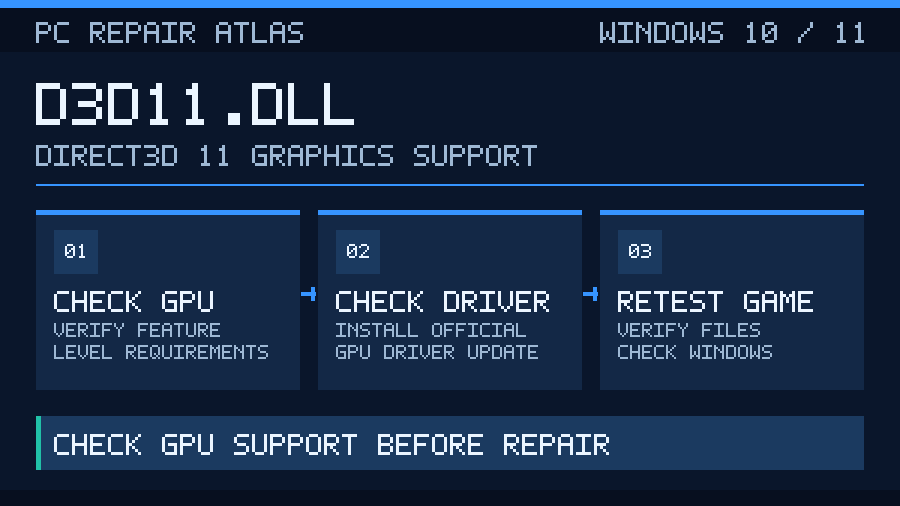
A game may fail before creating its first window, report a feature level requirement, or crash with d3d11.dll in a fault report. Some applications also use a local d3d11.dll graphics modification, so the file path matters.
Start with the exact error and the affected application. Do not install a replacement DLL from a download directory or run registry repair as a substitute for restoring the correct component.
Quick diagnosis: choose the right repair
| What you see | First action |
|---|---|
| Feature level required | Compare GPU capabilities |
| Crash after graphics mod | Restore unmodified game |
| System DLL not found | Repair Windows components |
What is d3d11.dll?
d3d11.dll is the Windows Direct3D 11 runtime. Applications use it to create graphics devices and perform rendering. Device creation depends on the driver and supported graphics feature levels as well as the presence of the Windows library. DirectX version and GPU capabilities are separate facts.
1. Check the adapter feature levels
Press Windows + R and enter dxdiag. Review the Display tab, including Feature Levels and driver information. Compare the listed levels with the game’s published requirements. A high DirectX version on the System tab does not guarantee that a GPU implements every feature level. On a laptop, examine both integrated and discrete adapters if shown.
2. Choose the correct graphics adapter and settings
In Windows Settings > System > Display > Graphics, find the application if available and select the appropriate GPU preference. A laptop plugged into power may behave differently from battery operation. Restore graphics options to a known-good configuration using the application’s documented controls. Disable graphics injectors and overlays individually so you can identify a conflict instead of changing everything simultaneously.
3. Repair software before considering hardware replacement
Verify or reinstall the game from its official source. Update the applicable GPU driver, or undo a recent change through the supported rollback procedure. For missing or corrupt Windows files across applications, use DISM and SFC below. If the GPU does not meet the published minimum feature level, system repair cannot add a capability that the hardware and driver do not expose.
When to repair protected Windows files
Use this route when a system copy is missing, Windows reports corruption, or failures affect several unrelated applications. Save your work. Open Command Prompt or Windows Terminal as administrator, then run the following commands individually, allowing the first to finish before the second.
DISM.exe /Online /Cleanup-Image /RestoreHealth
sfc /scannow
Restart and test again. If DISM fails or SFC reports unrepairable files, record the exact output instead of repeatedly running the same commands. A clean SFC result does not rule out an application, driver or hardware problem.
How to verify the repair
- Restart the affected application from its normal shortcut; restart Windows first if an installer or update requests it.
- Repeat the specific task that previously failed, using a test file or disposable save when possible.
- Check whether the original error has disappeared. If a different error appears, capture its full text before attempting another repair.
- Keep a record of the change that worked so you can reverse unrelated changes if necessary.
If an error remains, contact the application publisher with the Windows version, application build, exact error, file path and steps already attempted. Do not include private documents or license keys in diagnostic reports. Windows 10 support and update eligibility vary by edition and servicing program; use a supported configuration where possible.
Frequently asked questions
Does DirectX 12 guarantee all D3D11 feature levels?
No. Check the actual adapter feature levels in dxdiag.
Can an application-local d3d11.dll be legitimate?
Yes, some mods use a proxy; check its documented source.
Will SFC fix unsupported graphics hardware?
No. It repairs Windows-protected files, not GPU capabilities.
Related PC Repair Atlas guides
- DLL Errors & Fixes Library
- Fix missing DLL errors in Windows
- Repair Windows system files with SFC and DISM
- Update or reinstall graphics drivers