dinput8.dll Error? Check DirectInput, Game Mods and Windows in Windows 10 and 11
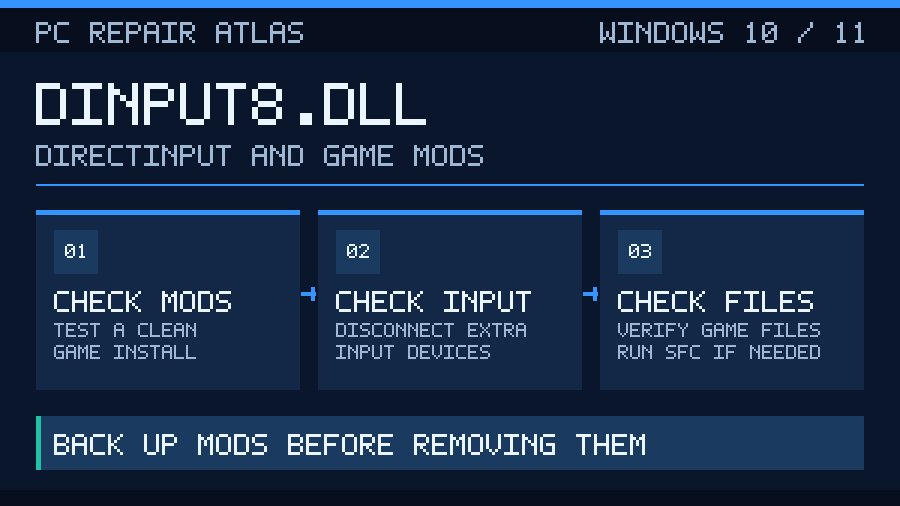
A game may crash immediately after a mod is installed, report Bad Image in its game directory, or fail while initializing an older input device. The path in the error message is particularly useful for deciding what to repair.
Start with the exact error and the affected application. Do not install a replacement DLL from a download directory or run registry repair as a substitute for restoring the correct component.
Quick diagnosis: choose the right repair
| What you see | First action |
|---|---|
| Error path points to game directory | Review mods and game files |
| Error points to Windows system folder | Check Windows integrity |
| Game starts but joystick fails | Test input device separately |
What is dinput8.dll?
dinput8.dll implements DirectInput 8, an older Windows input interface used by some games and input devices. Some game modifications also use a file with the same name in the game directory as a proxy loader. A Windows system file and a third-party game-directory file are not necessarily interchangeable.
1. Determine which copy is implicated
Record the complete path in the error or crash report. On a 64-bit x64 Windows installation, System32 holds native system files while SysWOW64 holds 32-bit system files. A dinput8.dll in a game folder may belong to a legitimate mod or vendor component. Do not delete or copy any file until its source is established. If the file was not intentionally installed and looks suspicious, use Windows Security to scan it.
2. Test an unmodified game
Back up saves and custom configuration. Follow the mod author’s removal instructions, or disable the mod with its manager. Then verify game files using the publisher’s launcher and start without optional add-ons. Do not download a substitute proxy DLL from an unfamiliar site. If the clean game works, report the compatibility issue to the mod publisher before reintroducing it.
3. Troubleshoot Windows or the physical device
For a missing Windows system copy or failures across unrelated apps, use Windows servicing and the system file repair steps below. For a detection-only issue, test the controller in joy.cpl where supported and reconnect it without an unpowered USB hub. Update device software through the manufacturer when required. Input configuration problems do not automatically mean a DLL is damaged.
When to repair protected Windows files
Use this route when a system copy is missing, Windows reports corruption, or failures affect several unrelated applications. Save your work. Open Command Prompt or Windows Terminal as administrator, then run the following commands individually, allowing the first to finish before the second.
DISM.exe /Online /Cleanup-Image /RestoreHealth
sfc /scannow
Restart and test again. If DISM fails or SFC reports unrepairable files, record the exact output instead of repeatedly running the same commands. A clean SFC result does not rule out an application, driver or hardware problem.
How to verify the repair
- Restart the affected application from its normal shortcut; restart Windows first if an installer or update requests it.
- Repeat the specific task that previously failed, using a test file or disposable save when possible.
- Check whether the original error has disappeared. If a different error appears, capture its full text before attempting another repair.
- Keep a record of the change that worked so you can reverse unrelated changes if necessary.
If an error remains, contact the application publisher with the Windows version, application build, exact error, file path and steps already attempted. Do not include private documents or license keys in diagnostic reports. Windows 10 support and update eligibility vary by edition and servicing program; use a supported configuration where possible.
Frequently asked questions
Is dinput8.dll always a mod?
No. Windows has a legitimate system DirectInput library.
Can a mod cause an error without modifying Windows?
Yes, an application-local proxy can introduce compatibility issues.
Does installing the legacy DirectX package replace the system DLL?
It is not the supported repair for damaged built-in Windows files.
Related PC Repair Atlas guides
- DLL Errors & Fixes Library
- Fix missing DLL errors in Windows
- Repair Windows system files with SFC and DISM
- Direct3D graphics errors