dxgi.dll Crash or Device Removed? Diagnose Graphics Failures in Windows 10 and 11
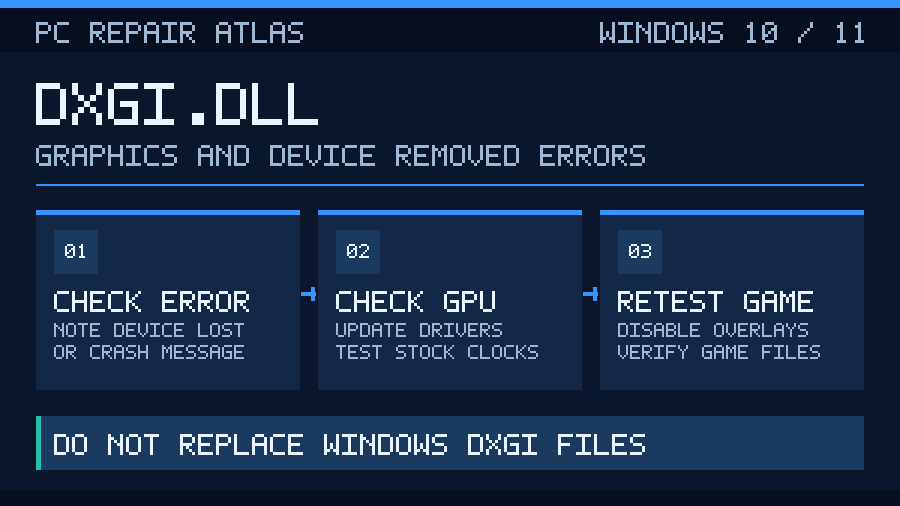
A game may close after a display-driver reset, crash during a demanding scene or report a DXGI error when switching display modes. A separate missing or Bad Image message at launch points toward a loading issue instead.
Start with the exact error and the affected application. Do not install a replacement DLL from a download directory or run registry repair as a substitute for restoring the correct component.
Quick diagnosis: choose the right repair
| What you see | First action |
|---|---|
| Device removed or hung | Investigate GPU stability |
| Crash only with overlay | Test clean game |
| DLL missing across applications | Repair Windows |
What is dxgi.dll?
dxgi.dll is associated with the DirectX Graphics Infrastructure, which helps graphics applications discover adapters, exchange buffers and present rendered images. It is an operating system component. A DXGI_ERROR_DEVICE_REMOVED or DXGI_ERROR_DEVICE_HUNG message is a graphics-operation failure, not a literal instruction to reinstall the DLL.
1. Capture the graphics error
Write down the exact hexadecimal code and error name if shown. Press Windows + R, enter dxdiag, and note the adapter and driver version on the Display tabs. In Reliability Monitor, inspect the application failure and any nearby hardware-related entries. Device removed can happen after a driver reset or change without a card physically being removed.
2. Return graphics settings to a stable baseline
If you recently applied a GPU overclock, undervolt or aggressive power setting, restore the manufacturer’s defaults using its utility. Disable optional overlays, capture hooks and graphics mods through their controls. Lower the game’s graphics preset for one controlled test. Keep an eye on temperature and unusual artifacts; stop testing if the hardware appears unsafe or unstable.
3. Use the supported driver path
Install the appropriate driver from your PC or GPU manufacturer, or roll back a recent driver change if the failure started immediately afterward and the option is available. On laptops check the OEM’s guidance for switchable graphics. If multiple games fail at stock settings, collect logs and consult the vendor; a power or hardware issue is possible but not established by the DLL name.
When to repair protected Windows files
Use this route when a system copy is missing, Windows reports corruption, or failures affect several unrelated applications. Save your work. Open Command Prompt or Windows Terminal as administrator, then run the following commands individually, allowing the first to finish before the second.
DISM.exe /Online /Cleanup-Image /RestoreHealth
sfc /scannow
Restart and test again. If DISM fails or SFC reports unrepairable files, record the exact output instead of repeatedly running the same commands. A clean SFC result does not rule out an application, driver or hardware problem.
How to verify the repair
- Restart the affected application from its normal shortcut; restart Windows first if an installer or update requests it.
- Repeat the specific task that previously failed, using a test file or disposable save when possible.
- Check whether the original error has disappeared. If a different error appears, capture its full text before attempting another repair.
- Keep a record of the change that worked so you can reverse unrelated changes if necessary.
If an error remains, contact the application publisher with the Windows version, application build, exact error, file path and steps already attempted. Do not include private documents or license keys in diagnostic reports. Windows 10 support and update eligibility vary by edition and servicing program; use a supported configuration where possible.
Frequently asked questions
Does device removed mean my GPU is unplugged?
Not necessarily. Software can lose access after a reset.
Should I increase TDR registry timeouts?
Avoid changing timeout settings as a general repair; it can mask instability.
Does the old DirectX installer repair dxgi.dll?
Use Windows servicing for the system component instead.
Related PC Repair Atlas guides
- DLL Errors & Fixes Library
- Fix missing DLL errors in Windows
- Repair Windows system files with SFC and DISM
- Update or reinstall graphics drivers