ucrtbase.dll Crash or Missing File? Diagnose the Universal CRT in Windows 10 and 11
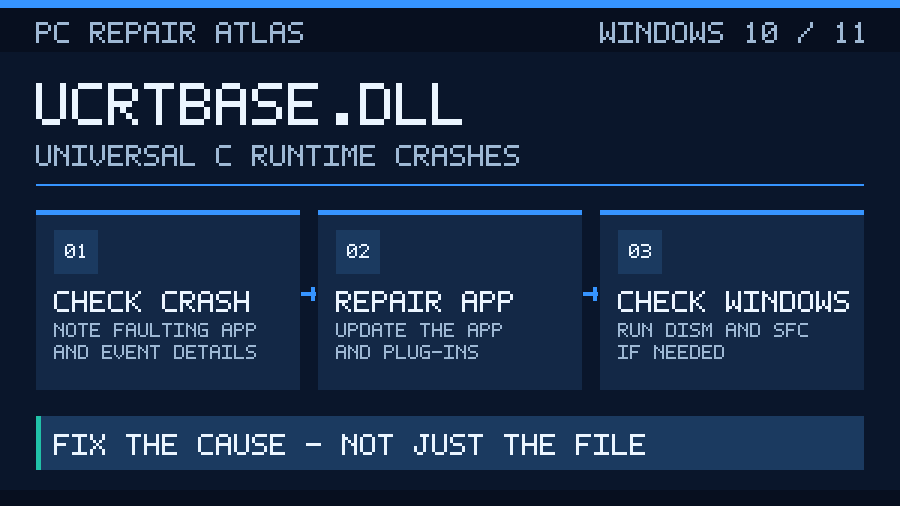
Reliability Monitor may name ucrtbase.dll as the faulting module when a program closes unexpectedly. A missing-file message at launch and a faulting-module crash during normal operation require different investigation.
Start with the exact error and the affected application. Do not install a replacement DLL from a download directory or run registry repair as a substitute for restoring the correct component.
Quick diagnosis: choose the right repair
| What you see | First action |
|---|---|
| Crash during one operation | Check app or plug-in |
| Several apps fail or system copy missing | Repair Windows components |
| Crash began after app update | Test clean app settings |
What is ucrtbase.dll?
ucrtbase.dll implements the Universal C Runtime, which supplies common C-language functions used by many desktop applications. On Windows 10 and 11 the operating system maintains the system UCRT. A crash naming this library does not prove the DLL is damaged: invalid data, memory access or an application bug can surface while its code is running.
1. Read the crash report
Press Windows + R, enter perfmon /rel and open the red failure marker for the affected application. View technical details and record the application name, module, exception code and time. An exception such as 0xc0000005 indicates an access violation, not a diagnosis of a defective system file. Reproduce the same operation with a known-good document or project if safe.
2. Isolate an application defect
Install the vendor’s current maintenance release, or use its supported repair option. Temporarily disable optional extensions from the application interface, then retry without opening the original document. If the crash occurs with only one document, preserve that file and test a copy rather than overwriting it. Report consistent reproduction steps to the vendor.
3. Repair Windows only when evidence points there
If several unrelated applications fail or the system DLL is actually missing, install applicable Windows updates and restart. Use the elevated DISM and SFC commands below. If the crash continues with clean system-file results, do not repeat the commands indefinitely. A persistent crash with a consistent app-specific trigger is stronger evidence for an application issue.
When to repair protected Windows files
Use this route when a system copy is missing, Windows reports corruption, or failures affect several unrelated applications. Save your work. Open Command Prompt or Windows Terminal as administrator, then run the following commands individually, allowing the first to finish before the second.
DISM.exe /Online /Cleanup-Image /RestoreHealth
sfc /scannow
Restart and test again. If DISM fails or SFC reports unrepairable files, record the exact output instead of repeatedly running the same commands. A clean SFC result does not rule out an application, driver or hardware problem.
How to verify the repair
- Restart the affected application from its normal shortcut; restart Windows first if an installer or update requests it.
- Repeat the specific task that previously failed, using a test file or disposable save when possible.
- Check whether the original error has disappeared. If a different error appears, capture its full text before attempting another repair.
- Keep a record of the change that worked so you can reverse unrelated changes if necessary.
If an error remains, contact the application publisher with the Windows version, application build, exact error, file path and steps already attempted. Do not include private documents or license keys in diagnostic reports. Windows 10 support and update eligibility vary by edition and servicing program; use a supported configuration where possible.
Frequently asked questions
Does ucrtbase.dll belong to Windows?
Yes, the system Universal CRT on Windows 10 and 11 is serviced with Windows.
Does 0xc0000005 mean the DLL is corrupt?
No. It is an access violation and needs context.
Will reinstalling Visual C++ help?
It can repair other runtime dependencies, but it does not replace Windows servicing for the system UCRT.
Related PC Repair Atlas guides
- DLL Errors & Fixes Library
- Fix missing DLL errors in Windows
- Repair Windows system files with SFC and DISM
- MSVCP140 and VCRUNTIME140 runtime errors