xinput1_3.dll Missing? Fix Legacy Controller Runtime Errors in Windows 10 and 11
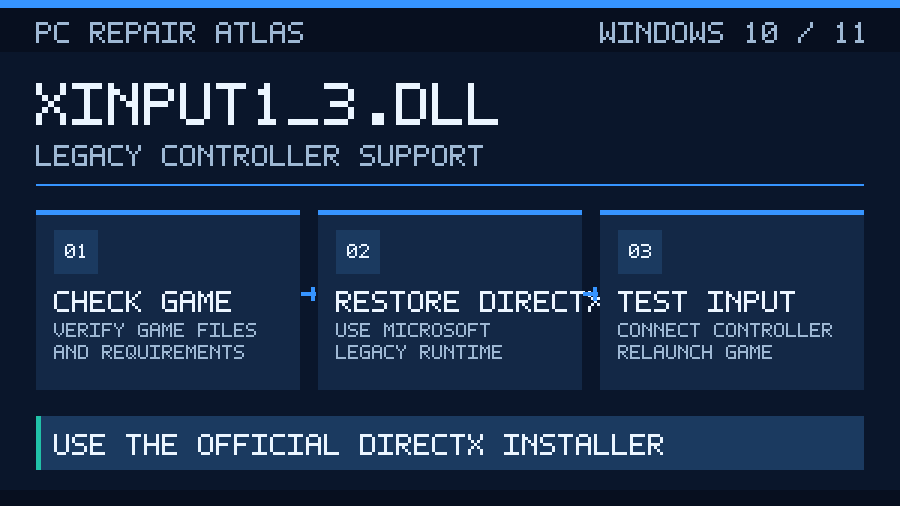
A classic PC game can report that xinput1_3.dll was not found before showing its main menu. This can occur even when no controller is connected because the application loads the dependency during startup.
Start with the exact error and the affected application. Do not install a replacement DLL from a download directory or run registry repair as a substitute for restoring the correct component.
Quick diagnosis: choose the right repair
| What you see | First action |
|---|---|
| Game cannot launch, DLL missing | Restore legacy DirectX prerequisites |
| Game launches, controller not detected | Check controller connection |
| Problem only with controller emulation | Disable optional wrappers |
What is xinput1_3.dll?
xinput1_3.dll is the legacy XInput 1.3 library used by some older games to communicate with compatible game controllers. Windows 10 and 11 have newer XInput components, but an application linked to the specific 1.3 filename may still need the older optional DirectX runtime.
1. Install the game’s original prerequisites
Use the official launcher’s verify or repair feature first. Some games include a prerequisite installer with their installation. Follow the publisher’s instructions for running it. If the library remains missing, use Microsoft’s official DirectX End-User Runtimes (June 2010), which supplies the optional legacy XInput 1.3 component.
2. Run Microsoft’s legacy installer safely
Download the official package linked below, extract it to a new temporary folder, and run DXSETUP.exe from that extracted folder. Close games beforehand and follow the setup prompts. Do not replace system files manually or rename xinput1_4.dll to xinput1_3.dll. The legacy package adds optional libraries; it does not downgrade the operating system’s DirectX version. Remove only the temporary extraction folder after successful installation.
3. Separate controller detection from runtime loading
After the game launches, plug in a known-good controller directly or pair it using Windows settings. Press Windows + R, type joy.cpl, and check whether the controller appears and responds in its properties if supported. If Windows detects it but the game does not, investigate the game’s input settings and compatibility. Restore the original configuration if you previously installed a controller wrapper or emulator.
If the official installer does not solve the problem
Record whether setup completed, the exact remaining error, and the affected application version. If a second application works, prioritize the original software’s prerequisites and installation rather than making system-wide changes. Windows system-file repair is appropriate only if you also have evidence of damaged Windows components; it is not a reliable way to install a missing optional redistributable. Avoid registry edits, renaming files or running regsvr32 on runtime libraries.
How to verify the repair
- Restart the affected application from its normal shortcut; restart Windows first if an installer or update requests it.
- Repeat the specific task that previously failed, using a test file or disposable save when possible.
- Check whether the original error has disappeared. If a different error appears, capture its full text before attempting another repair.
- Keep a record of the change that worked so you can reverse unrelated changes if necessary.
If an error remains, contact the application publisher with the Windows version, application build, exact error, file path and steps already attempted. Do not include private documents or license keys in diagnostic reports. Windows 10 support and update eligibility vary by edition and servicing program; use a supported configuration where possible.
Frequently asked questions
Do I need a controller connected to fix a missing DLL?
No. The library can be required even without a controller.
Does DirectX 12 include every old optional library?
No. Legacy games can require separate components.
Should I copy or rename a newer XInput DLL?
No. Use the official legacy dependency installer.
Related PC Repair Atlas guides
- DLL Errors & Fixes Library
- Fix missing DLL errors in Windows
- Repair Windows system files with SFC and DISM
- Fix DirectX errors in games