Netstandard.dll Error in Windows 10 and 11: .NET Fixes
What is netstandard.dll?
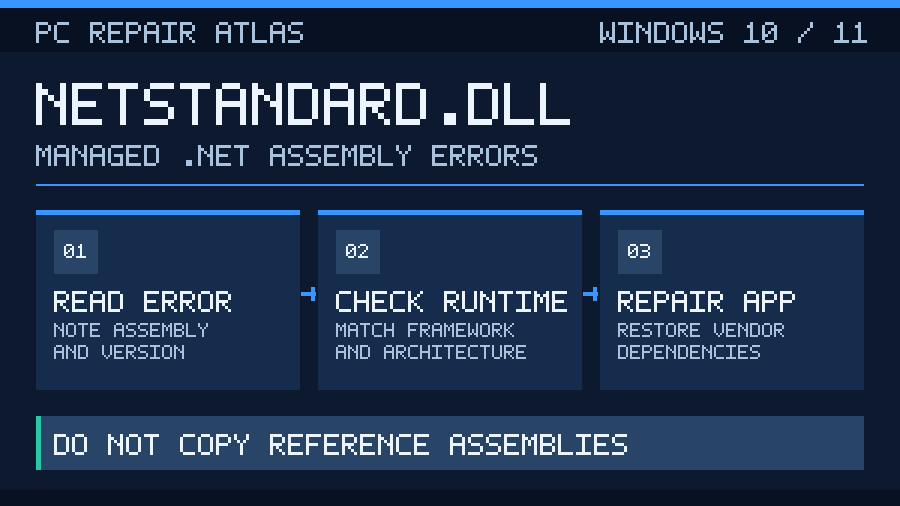
Netstandard.dll represents the .NET Standard API contract shared across compatible .NET implementations. It is a managed assembly rather than a general-purpose native Windows library. Microsoft describes .NET Standard reference assemblies as contracts used during compilation. Depending on the application and runtime, a similarly named assembly may participate in runtime type forwarding or dependency resolution. Copying an arbitrary reference assembly into an application folder is therefore not a reliable repair.
Read the complete error
A typical problem may be a FileNotFoundException stating that netstandard or one of its dependencies could not be loaded. Other failures involve FileLoadException, TypeLoadException or a compiler error about a missing reference. These point to different stages: resolving an assembly, loading it, finding a type, or compiling against a target framework. Copy the version and full exception text, plus the name of the application or plugin. If the issue appears after a plugin was installed, test the application without that plugin using the vendor's documented procedure.
1. Identify the app's framework requirement
Check the software vendor's installation instructions. A program built for .NET Framework may require a different installation than a program targeting modern .NET. Modern .NET desktop applications may require the Windows Desktop Runtime, not only the base runtime. For framework-dependent applications that display a missing-framework message, Microsoft explains how to identify the requested framework name, version and architecture. A self-contained application should normally ship its required runtime with the program, so a missing dependency may indicate an incomplete deployment.
2. Check installed modern .NET runtimes
If the dotnet command is available, open a terminal and run dotnet --list-runtimes. Compare the results against the application's requirements. Remember that 32-bit and 64-bit runtimes may be installed separately, and a newer major runtime is not a universal replacement for an older application requirement. Install the supported runtime and architecture from the official Microsoft distribution or the application's installer. The command does not provide a complete inventory of classic .NET Framework installations. Do not uninstall existing frameworks simply to try a different one.
3. Repair the application and its dependencies
Use Settings > Apps to look for a repair option, or run the original vendor installer. Back up application data and custom plugins before reinstalling. If only one program fails, installing an unrelated system DLL or running every registry repair utility is unlikely to address the underlying assembly binding problem. For an application that stopped working after a plugin update, confirm the plugin supports the host's framework version and restore a compatible release where the vendor permits it.
4. Developer checks for build and deployment failures
For your own project, inspect the target framework in the project file and verify that dependencies support it. Restore packages with the relevant SDK or build environment and rebuild. Check that the published output includes the required dependencies and that runtime and reference assemblies are not accidentally mixed. Consult Microsoft's .NET Standard compatibility tables to confirm the target contract is supported. For classic .NET Framework applications, inspect assembly binding diagnostics before changing binding redirects. For modern .NET, compare the runtime configuration and dependency manifest with the actual deployed files. Keep the original build output so that changes are reversible.
Verify the fix
Relaunch the application and repeat the operation that originally failed. If the failure only happens when opening a document or loading a plugin, test that specific path. Record any new error and compare its assembly name and requested version with the original. If the failure instead names a native C runtime component, use the UCRTBase.dll troubleshooting guide; managed assembly resolution and native runtime crashes require different diagnostics. If Windows itself exhibits unrelated corruption, system repair tools may be appropriate, but they cannot restore a third-party application's missing managed dependencies. Do not download netstandard.dll from an unofficial file repository.
Related guides and official documentation
See the Mscoree.dll guide, Coreclr.dll guide and DLL Library. Microsoft references: reference assemblies, troubleshoot .NET app launch failures and .NET Framework assembly resolution.