Replace a CMOS Battery: Fix Time Resetting and BIOS Errors
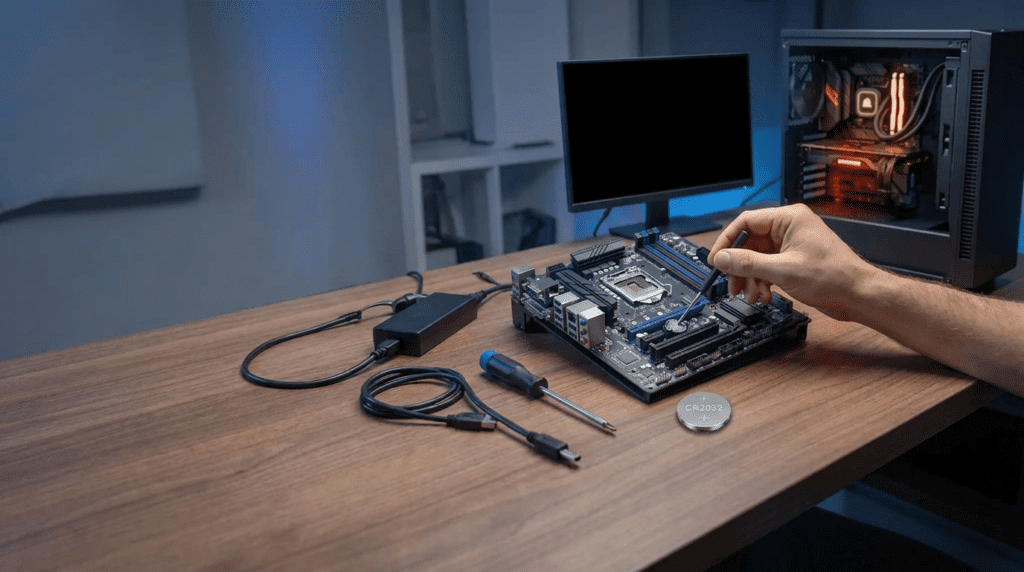
A small round battery on the motherboard keeps the clock running and remembers your BIOS settings when the PC is off. When it runs out, the date and time reset, settings disappear and you may see errors at startup. To replace a CMOS battery on a desktop takes a few minutes and is usually inexpensive.
Signs of a dead CMOS battery
- The date and time reset every time the PC is unplugged or left off.
- Messages such as 'CMOS battery low', 'CMOS checksum error' or 'Date and time not set'.
- BIOS settings, boot order or XMP return to defaults.
- Websites show certificate errors because the clock is wrong.
What you need
- A new battery of the same type. Most boards use a CR2032 3-volt coin cell, but check the old battery's label.
- Your fingernail or a small plastic tool. Avoid a metal screwdriver, which can short the board.
- A phone to photograph your BIOS settings.
Safety first
- Shut down, switch off the power supply and unplug the PC. Touch bare metal on the case before you touch the board.
- BitLocker warning: a BIOS reset can change security settings (TPM or Secure Boot) and make Windows ask for your BitLocker recovery key at the next start. Find the key first, see how to find your BitLocker recovery key.
- Coin cells are dangerous if swallowed, especially for children. Keep old and new batteries out of reach, and recycle the old one at a battery collection point, not in the bin.
- On a laptop, check the warranty and a guide for your model before you open it. Many laptops use a small connector or a soldered cell, and a few need the main battery disconnected first.
Step-by-step: replace the battery
Step 1: Note your BIOS settings
Before you start, enter the BIOS and take photos of the important settings: boot order, SATA mode (AHCI or RAID), memory profile (XMP or EXPO), fan settings and any changes you made. They will be reset, and a wrong SATA mode can stop Windows from starting. You should have photos of every page you changed.
Step 2: Find the battery
On a desktop, look for a silver coin cell in a small holder on the motherboard, often near the PCI Express slots. A graphics card may cover it, so remove the card if needed.
Step 3: Remove the old battery
Press the small clip or lever to the side, and the battery pops up. Take it out. Note which side faces up. The side marked + usually faces up.
Step 4: Wait a short while
Leave the battery out for at least 30 seconds. With the PC unplugged and the power supply switched off, press the power button for a few seconds to drain leftover power. This also clears the stored BIOS settings, which can fix some start problems. If the settings do not clear, wait a few minutes.
Step 5: Insert the new battery
Place the new battery in the holder with the same side up and press it until it clicks. It should sit flat and not rock.
Step 6: Set the BIOS again
Reconnect the power and start the PC. It may show a message that settings were reset (often press F1 or Del to continue). Enter the BIOS and set the date and time. If the BIOS offers it, choose the load defaults option, then set the SATA mode, boot order, XMP or EXPO and fan options as in your photos. Save and restart. Windows should start normally.
Step 7: Check Windows time
In Windows, open Settings > Time & language > Date & time. Make sure Set time automatically is on and select Sync now. The time should match your phone.
If the time still resets
- The new battery may be faulty or weak. Try another one from a different pack.
- If the clock is only a few minutes off while the PC is running, or the time zone is wrong, the battery is not the cause. See Windows 11 clock wrong: 9 fixes for wrong time or date.
- If you use Windows and Linux on one PC (dual boot), the two systems can disagree about the hardware clock, so one shows the wrong time after the other has run. This is a clock setting, not a battery fault. In Linux you can tell it to use local time with
timedatectl set-local-rtc 1, but check your distribution's documentation first. - A battery that dies again within weeks may mean a motherboard fault that drains it. That needs a technician. To check for the other signs of a failing board, see how to tell if a motherboard is failing.
- If the PC will not start at all, see PC won't turn on or show anything on screen.
- If the PC now opens the BIOS every time it starts, see PC keeps booting into BIOS.
After changing settings, an updated BIOS can also help with stability, but only update it if you have a reason.
More help
For more hardware repair guides, search by symptom on the PC Repair Atlas homepage.
FAQ
How long does a CMOS battery last? Often several years, but it varies.
Can a dead CMOS battery stop the PC from starting? Usually it only resets settings, but a corrupted BIOS setting can sometimes stop startup. Replacing the battery and clearing settings helps.
Is it safe to replace it while the PC is plugged in? No. Unplug the PC first.